
Dental Audit — Help Guide
Upgrading to Premium
What the Free plan doesn't include, what Premium unlocks, and how to start the upgrade from Settings.
Every practice starts on the Free plan. The Settings tab shows your current plan and, if you're not on Premium yet, a summary of what upgrading adds — along with the button to start the upgrade.
Before you start
Upgrading sets up a Direct Debit via GoCardless. The payment appears on your bank statements and GoCardless dashboard under Digitally Transform Dental IT Consultancy Limited — that's expected, not an error.
1
Open Settings
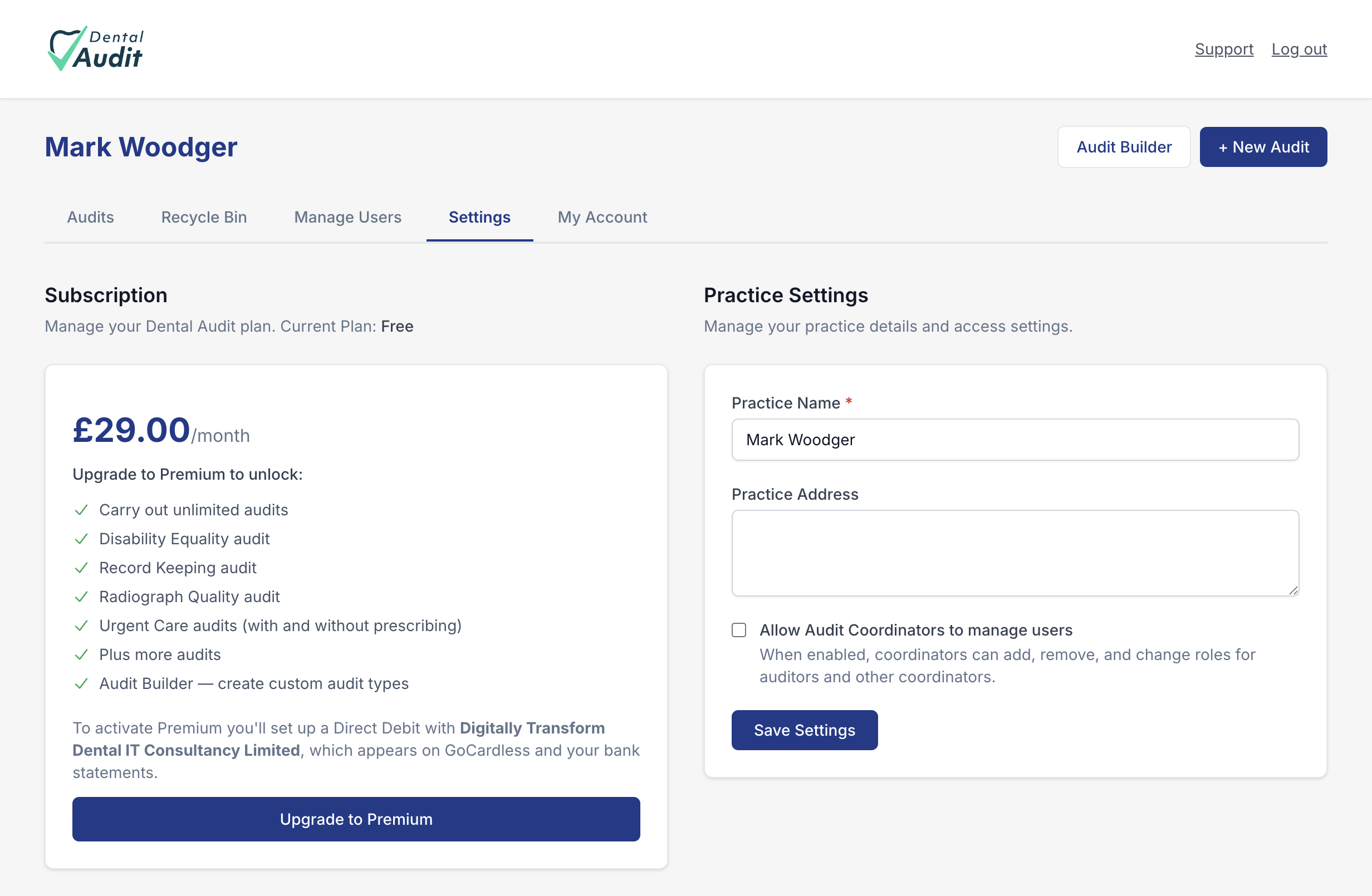
Click Settings in the top navigation. The Subscription panel on the left shows your current plan — Free, in this case — and, beneath it, everything Premium adds.
2
See what's included
Premium, at £29.00/month, unlocks:
- Unlimited audits — the Free plan caps how many you can carry out.
- Additional built-in audit types: Disability Equality, Record Keeping, Radiograph Quality, and Urgent Care (with and without prescribing), plus more.
- Audit Builder — create your own custom audit types from scratch.
3
Start the upgrade
Click Upgrade to Premium to begin. This hands off to GoCardless to set up your Direct Debit — have your bank details ready. Only the practice Owner manages the subscription, in line with the Owner's role in Manage Users.
Recap
- Settings → Subscription shows your current plan and what Premium adds.
- Premium is £29.00/month: unlimited audits, extra audit types, and Audit Builder.
- Upgrade to Premium sets up billing via GoCardless Direct Debit — managed by the Owner.